
Your QuickBooks Profit and Loss report says your business made money last month. That’s good news.
But when you look at your bank account, the balance tells a very different story.
Where did all that profit go?
This is one of the most confusing situations small-business owners face, and it doesn’t necessarily mean your QuickBooks is wrong. When it comes to QuickBooks profit vs. cash flow, the two numbers measure different things.
Profit and cash flow are not the same thing.
Understanding the difference can help you avoid cash shortages, make smarter spending decisions, and get more value from your bookkeeping.
QuickBooks Profit vs. Cash Flow: What’s the Difference?
Your Profit and Loss report shows your business’s income and expenses over a selected period. Cash flow shows how money actually moves into and out of your business. Those numbers can be very different.
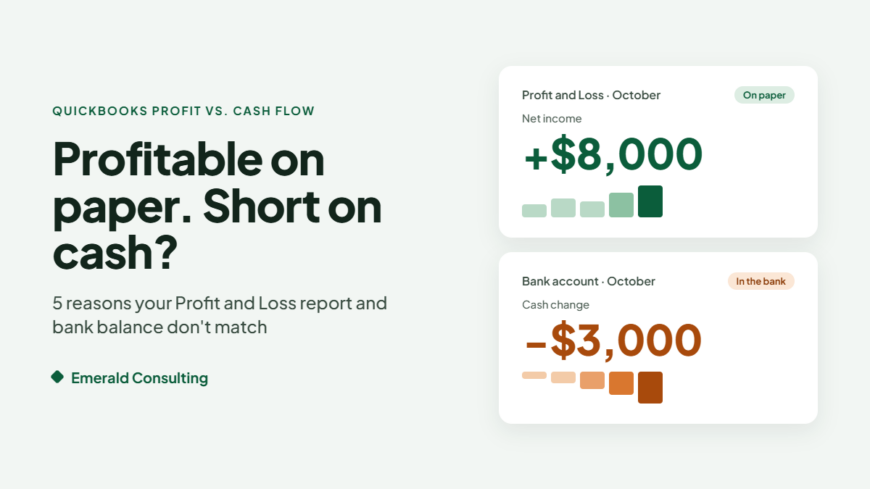
For example, imagine your business completes $20,000 worth of work in October and has $12,000 in expenses. On an accrual-basis Profit and Loss report, that could mean $8,000 in profit.
But what if customers have only paid $9,000 of those invoices? If you’ve already paid most of those expenses, your bank account could be down about $3,000 in a month that shows $8,000 in profit.
Your business may be profitable on paper while still struggling to cover payroll, rent, and other bills. The difference is timing, and timing matters when bills are due.
As we mentioned in our mid-year bookkeeping review, a business can show a profit and still feel tight on cash. Here’s why that happens.
5 Reasons Your QuickBooks Profit Doesn’t Match Your Bank Balance
1. Customers Haven’t Paid Their Invoices
A sale is not always the same as money in the bank.
If your business uses accrual accounting, QuickBooks generally records income when it is earned, even when the customer hasn’t paid yet. That means unpaid invoices can contribute to your reported profit while your bank account is still waiting for the actual deposit.
If you run your Profit and Loss report on a cash basis, unpaid invoices won’t show up as income. The other reasons below still apply.
What to check in QuickBooks:
Run your Accounts Receivable Aging report or Open Invoices report, and look for invoices that are 30, 60, or 90 days overdue.
A business can have strong sales and still experience cash shortages when customers are slow to pay.
2. Loan Payments, Credit Card Payments, and Sales Tax Use Cash Without Reducing Profit
Suppose your business makes a $1,000 monthly loan payment. That money leaves your bank account, but the entire payment does not necessarily appear as an expense on your Profit and Loss report.
Typically, the principal portion reduces the loan liability on your Balance Sheet. The interest portion is recorded as an expense. So you can spend $1,000 in cash while reporting only the interest as an expense.
Paying down a business credit card works the same way. The purchases were already recorded as expenses when they happened. The payment itself reduces the card balance, not your profit.
Sales tax is similar. The sales tax you collect from customers isn’t income. It’s money you’re holding for the state. When you send that payment, cash leaves your account, but your profit doesn’t change.
That’s normal accounting. But it can surprise business owners who expect their Profit and Loss report to explain every dollar leaving the bank.
3. You Bought Inventory, Equipment, or Other Assets
Maybe you bought a new computer, vehicle, or piece of equipment. Your bank account shows the payment.
But depending on the purchase and its accounting treatment, QuickBooks may record it as an asset rather than immediately recognizing the entire amount as an expense. The cost may be recognized over time through depreciation or another appropriate accounting treatment. Your tax professional can help determine how specific purchases should be handled.
Inventory works in a similar way. If you sell products, the inventory you buy typically sits on your Balance Sheet as an asset until it’s sold. Only then does its cost show up on your Profit and Loss report. Stocking up before the holidays can drain cash weeks or months before those costs appear as expenses.
The result? Less cash in the bank without an equivalent immediate reduction in reported profit.
This is one reason your Balance Sheet matters just as much as your Profit and Loss report.
4. Owner Draws Reduce Cash, Not Business Profit
Business owners sometimes transfer money from their business account to their personal account.
For certain business structures, those transfers are recorded as owner draws or distributions rather than operating expenses. The money leaves the bank, but it does not reduce net profit on the Profit and Loss report.
How owner payments should be recorded depends on the business’s legal and tax structure. Owner draws, shareholder distributions, and wages are not interchangeable.
If you’re unsure how these transactions should appear in QuickBooks, it’s worth checking with your bookkeeper and tax professional.
5. Your Bookkeeping Has Errors or Missing Transactions
Sometimes the difference between profit and cash flow is perfectly legitimate. Other times, the problem is your bookkeeping.
Duplicate income, missing expenses, incorrectly recorded transfers, or transactions assigned to the wrong accounts can distort your financial reports. Bank feeds make transaction entry easier, but they don’t guarantee accurate bookkeeping.
If your accounts haven’t been reconciled recently, start there.
Our previous article, 5 QuickBooks Cleanup Problems to Fix Before Year-End, explains several common issues worth investigating before December.
3 QuickBooks Reports Every Business Owner Should Review
You don’t need to become an accountant to understand your business finances. But you should know what your most important QuickBooks reports are telling you.
1. Profit and Loss: Are You Making Money?
Your Profit and Loss report shows income, expenses, and net income for a selected period.
Review it monthly. Look for changes in revenue, rising expenses, and differences from previous months.
Also check whether you’re viewing the report on a cash or accrual basis. That setting can change when certain income and expenses appear.
2. Balance Sheet: What Do You Own and Owe?
Your Balance Sheet shows assets, liabilities, and equity. It can help explain why your cash balance and net income are different.
Review bank balances, credit cards, loans, accounts receivable, inventory, and other significant balances. If something looks unusual, investigate rather than assuming the report is correct.
3. Statement of Cash Flows: Where Did the Money Go?
This report helps explain the movement of cash through your business. It organizes cash activity into operating, investing, and financing activities.
That distinction is important. A profitable business might use cash to repay debt or purchase equipment. Those transactions affect cash differently than they affect reported profit.
Depending on your QuickBooks Online plan, you can find the report under Reports by searching for Statement of Cash Flows. Intuit provides instructions in its official guide: How to Run a Statement of Cash Flows in QuickBooks Online.
Remember that these reports are only as reliable as the transactions behind them.
October Is a Good Time to Check Your Cash Flow Before Year-End
With the fourth quarter underway, this is an excellent time to review your business finances.
You may be planning equipment purchases, holiday expenses, employee bonuses, inventory purchases, or other year-end spending. Before making those decisions, look beyond your profit.
Ask yourself:
- How much cash is actually available?
- Which customers still owe us money?
- What bills and loan payments are coming due?
- Are payroll and tax obligations covered?
- Are we setting aside cash for fourth-quarter estimated taxes due in January?
- Are we making spending decisions based on current, reconciled numbers?
- Will we have enough cash available heading into January?
A profitable October doesn’t automatically guarantee a comfortable December. That’s why cash flow planning matters.
Accurate Bookkeeping Makes Cash Flow Easier to Understand
QuickBooks can produce useful reports, but reliable reporting requires more than entering transactions. Your financial records need to be reviewed, categorized correctly, and reconciled regularly.
A consistent monthly bookkeeping process helps you spot missing information, identify unusual balances, and understand what your numbers actually mean. It also makes conversations with your accountant and other financial advisers more productive.
Instead of spending time figuring out what happened three months ago, you can focus on what needs to happen next. That’s the real value of keeping your books current.
Emerald Consulting Helps You Understand the Numbers Behind Your Business
At Emerald Consulting, we help small and mid-sized businesses get more from QuickBooks through setup, troubleshooting, bookkeeping review, reconciliation, and ongoing remote bookkeeping services.
We understand that most business owners don’t want to spend their evenings figuring out why their Profit and Loss report doesn’t match their bank balance. They want financial information they can trust.
Our remote bookkeeping services can help keep your QuickBooks records organized and current so you have a clearer picture of your business.
Your business can be profitable and still run short on cash. The goal is to understand both numbers before they become a problem.
Contact Emerald Consulting for a free 30-minute needs assessment.
Frequently Asked Questions
Why does QuickBooks show a profit when I have no money in the bank?
Profit measures income minus expenses under the accounting method used. Your bank balance is also affected by customer payment timing, loan principal payments, inventory and asset purchases, sales tax payments, owner distributions, and other transactions that may not appear as expenses on your Profit and Loss report.
Does a QuickBooks Profit and Loss report show cash flow?
No. Even when you run a cash-basis Profit and Loss report, it doesn’t capture every movement of money into or out of your business. Review your Balance Sheet and Statement of Cash Flows for additional insight.
Should my business use cash or accrual accounting?
It depends on your business size, industry, and tax situation. Cash basis is simpler, while accrual basis gives a more complete picture of what you’ve earned and what you owe. Your tax professional can help you choose the method that fits your business.
How often should I review my QuickBooks financial reports?
At least monthly, after transactions have been reviewed and accounts reconciled. Businesses with tighter cash flow may benefit from reviewing available cash, expected receipts, and upcoming payments weekly.

Published by